
CRM for Fundraising: How to Track Leads, Replies, and Follow-Ups Like a Pro
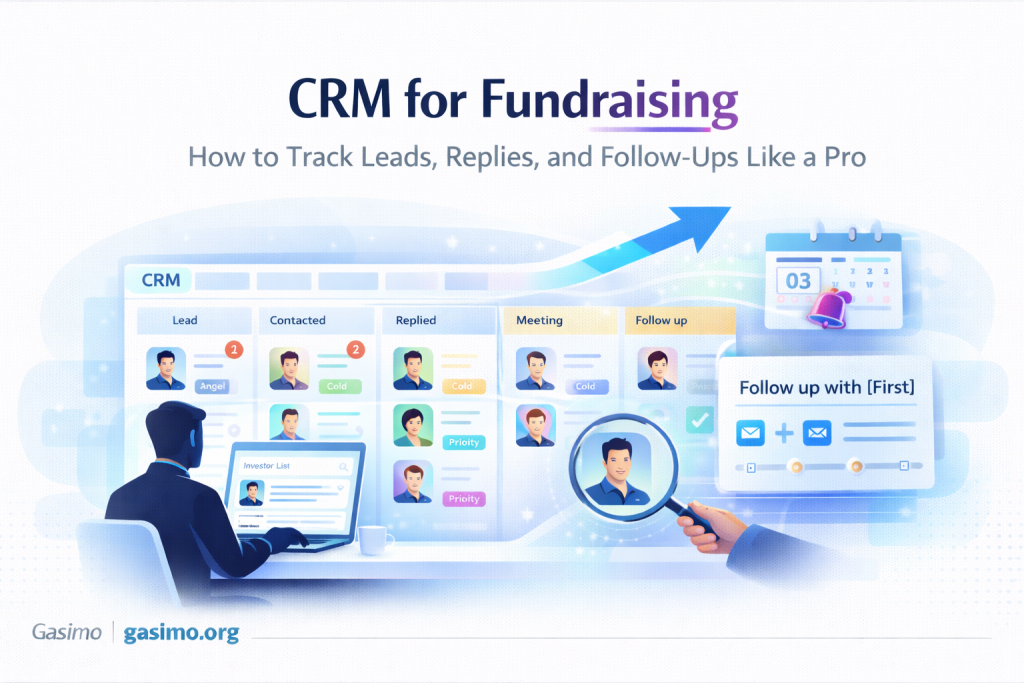
Fundraising is not one conversation. It is a hundred tiny actions done consistently.
The problem is not effort. The problem is memory.
Memory drops balls. A pipeline does not.
A fundraising CRM (even a simple sheet) does three things for you:
Is Gasimo the right outbound partner for you?
Three fields. Thirty seconds. We only follow up when there is a genuine fit.
- Shows what to do today
- Shows where deals are stuck
- Shows which message and which list is actually working
You end up booking more meetings without sending more messages, because you stop losing momentum between steps.
TL;DR: The CRM Blueprint (Copy/Paste This)
Stages that actually matter
Prospect → Qualified Fit → Contacted → Warm Intro Pending → Reply → Call Booked → Diligence → Committed → Closed (Won/Lost)
Minimum fields (keep it lean)
Investor | Fund | Role | Cheque Size | Stage Focus | Geo | Fit Score /18 |
Source (Warm/Cold) | Last Touch (date) | Next Step (date) | Hook Used | Status | Notes
Daily ritual (10 minutes)
- Open Today’s Next Steps view
- Send bumps or booking messages
- Log outcomes
- Move cards one stage forward, or out
Weekly ritual (30 minutes)
- Review Accept %, Reply %, Call-Booked %, Time-to-Meeting
- Fix the weakest KPI with one change (list, hook, CTA, cadence)
- Add 5 new A-list targets; archive stale leads
Saved views (work from these)
- Today’s Next Steps (Next Step is today or past due)
- A-List This Week (Fit Score 14+)
- Stale 7+ Days (no touch in 7+ days)
- Awaiting Intro (Warm Intro Pending)
- Post-Call Follow-Ups (Call booked in last 7 days)
- Active Diligence (Diligence stage only)
KPI targets (starting points, tune to your stage)
- Accept % = accepts ÷ invites (connection requests or intro forwards)
- Reply % = replies ÷ DMs sent
- Call-Booked % = calls ÷ replies
- Meetings per 100 DMs = calls ÷ DMs × 100
Most important rule: if your CRM does not have a Next Step date, it is not a real lead. It is just hope.
Pipeline stages (what each one means)
| Stage | Meaning | What you do next |
|---|---|---|
| Prospect | You found them. Not scored yet. | Score fit or park fast. |
| Qualified Fit | They match stage, cheque, geo, thesis. | Assign hook, set Next Step, then message. |
| Contacted | Cold DM sent or connection note sent. | Schedule 1st bump date (2 to 5 days). |
| Warm Intro Pending | You asked a connector for a double opt-in intro. | Follow up with connector once, politely. |
| Reply | They responded. You owe a clear next step. | Offer two times, book the fit check. |
| Call Booked | Calendar invite sent with agenda and link. | Send 1-pager or teaser, confirm attendance. |
| Diligence | They asked for deck, data room, references, deeper numbers. | Share the right docs, track engagement, set next call. |
| Committed | Soft-circle or terms. Amount is discussed. | Track amount, paperwork, target close date. |
| Closed (Won/Lost) | Money in or pass. | Log reason. This improves your next raise. |
Fields that drive action (minimal, not messy)
If you cannot update your CRM in 10 minutes a day, it is too heavy.
These fields are enough for most founders:
- Investor / Fund / Role – who you are talking to
- Thesis tags – 3 to 5 words (example: “India B2B SaaS”, “SMB fintech infra”)
- Cheque size – realistic, in your currency
- Fit Score /18 – Stage, Cheque, Sector, Geo, Lead/Follow, Pattern Match
- Source – warm or cold
- Hook used – thesis mirror, portfolio adjacency, traction snapshot, etc.
- Last Touch – when you last acted
- Next Step – when you will act next (this is the heartbeat)
- Status – pipeline stage
- Notes – one line, not an essay
Your starter sheet (paste this header row)
Copy this into Google Sheets or Excel as the first row:
Investor,Fund,Role,ThesisTags,ChequeMin,ChequeMax,StageFocus,Geo,FitScore18,Source,HookUsed,Status,LastTouch,NextStep,Email,LinkedIn,NotesKeep it boring. Boring scales.
Views that make you faster
These views are the difference between “I will follow up later” and actually following up.
Today’s Next Steps
Filter: NextStep is today or before AND Status is not Closed
Sort: NextStep ascending
A-List This Week
Filter: FitScore18 14+ AND Status in (Qualified Fit, Contacted, Warm Intro Pending, Reply)
Stale 7+ Days
Filter: LastTouch is more than 7 days ago AND Status not in (Committed, Closed)
Awaiting Intro
Filter: Status = Warm Intro Pending
Post-Call Follow-Ups
Filter: Status in (Reply, Call Booked) AND LastTouch within last 7 days
Active Diligence
Filter: Status = Diligence
Light automations (tool-agnostic)
You do not need fancy automation to start. But a few tiny ones reduce drop-offs.
- Auto-roll Next Step: when Status becomes Reply, set Next Step to today + 2 days
- Daily reminder: one ping at 8:30 AM with count of items due today
- Snippets library: store your hooks, follow-ups, booking lines for quick insert
- After-call task: “Send recap + teaser + next step by end of day”
Operating hygiene (the rules)
- Single owner: one person updates the CRM daily
- End-of-day sweep: move stages, fill Next Step, write one-line notes
- Weekly review: fix the weakest KPI with one change
- Change log: note big edits (new stages, new fields) in a pinned doc
Metrics and simple formulas (copy)
Accept % = Accepts / Invites
Reply % = Replies / DMs
Call-Booked % = Calls / Replies
Meeting Yield % = Calls / DMs
Time-to-Meeting (days) = MeetingDate – FirstDMDate
Track weekly. When one number sags, use this diagnosis ladder:
- Accept % low – list fit is off (stage, cheque, geo)
- Reply % low – hook is weak (change angle; add proof)
- Call-Booked % low – CTA is vague (offer two times; ask for 15 minutes)
- Time-to-Meeting high – scheduling friction (reduce back-and-forth)
Templates you will reuse (paste-ready)
Post-reply: book the call
Thanks, [Name]. Happy to do a 15-minute fit check.
Free Tue 6:30 to 6:45 PM IST or Wed 8:00 to 8:15 PM IST?
If easier, here’s a link: [link].
After call: recap + next step
Great chat. Quick recap in 60 seconds: [problem] → [product] → [proof].
Next step: [your ask]. I’ll share [deck/data room item] today.
If helpful, we can hold [day/time] for a deeper dive.
Diligence nudge
Sharing the data room link and KPI one-pager.
I also added a simple change log at the root so it’s easy to track updates.
Happy to walk through cohorts in 15 minutes [slot 1] or [slot 2].
Closed (Lost): learning line
Appreciate the time and the notes.
I’ll circle back after [milestone/date]. If you’re open, may I send a one-line update monthly?
Tool choices (use what you already have)
- Sheets/Excel – fastest to start; perfect for your first 25 to 100 records
- Notion/Airtable – great for views, tags, and light automations
- Streak (Gmail) – useful if you live in email and want a pipeline inside inbox
- HubSpot Free – good if you want structured pipelines with tasks and meeting links
Pick one. Do not migrate mid-raise unless something is breaking.
7-day rollout (from zero to a working CRM)
- Day 1: Create the sheet/table with the header row above. Add stages.
- Day 2: Import your first 25 prospects. Fill Fit Score and Next Step.
- Day 3: Create Today’s Next Steps and A-List This Week views.
- Day 4: Send 8 to 10 first touches. Log each send. Move to Contacted.
- Day 5: Add the simplest automation: when Status becomes Reply, Next Step becomes today + 2 days. Save your snippets.
- Day 6: Review KPIs. Fix the weakest one with one change.
- Day 7: Archive stale leads. Add 5 fresh A-list names. Repeat.
FAQ
Do I need a full-blown CRM?
No. A clean sheet with views beats a bloated tool you won’t update.
How many fields are too many?
If you cannot update it in 10 minutes a day, you have too many.
Should I track every DM detail?
No. Track hook used, last touch, next step, and stage. That is enough to learn.
When do I move Diligence to Committed?
When you get a soft-circle or terms. Add amount and target close date.
What if a thread dies?
Two bumps max. Then set a milestone re-touch date and move on.
Final word
Run your raise like a small, calm pipeline.
Short fields.
Clear stages.
Daily action view.
Fix one number each week, and meetings grow without adding chaos.
Sources
- Airtable: Fundraising CRM template
- Notion: Fundraising CRM guide (views, database, workflow)
- Notion template: Series A investor CRM
- Streak: Fundraising management pipeline inside Gmail
- HubSpot: Set up and customize pipelines
- DocSend: Tracking investor engagement with your pitch deck
- DocSend: Data rooms for investors (overview)
- Visible: Tips from YC on investor updates (asks, metrics, recap)
- Aaron Harris (YC): Investor updates (metrics and asks)